

Nook & Spine
Now with author watchlists

Your reading life, organized like a private library.

Nook & Spine helps book lovers catalog every edition, shape a calmer TBR, follow favorite authors, and keep notes close to the books they belong to.

Library · TBR queue · Watchlist · Wishlist — one calm dashboard.

Nook & SpineLibrary Dashboard
+ Add book

My Library

1,247 books · 18 currently reading

Search your library…
AllReadingFinished
Butcher & BlackbirdReading

Butcher & Blackbird

Brynne Weaver

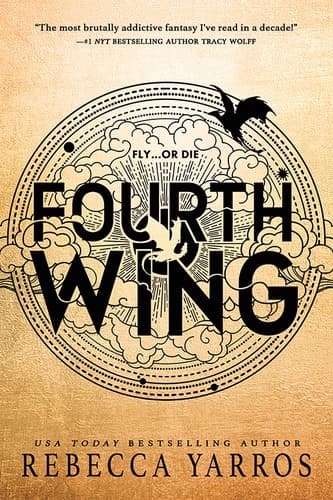
Fourth WingTBR

Fourth Wing

Rebecca Yarros

Throne of GlassOwned

Throne of Glass

Sarah J. Maas

Divine RivalsFinished

Divine Rivals

Rebecca Ross

Next from TBRFourth Wing — queued after one dark romance read

Launch video

A private library for every book you love.

Take a quick tour of the calmer way to track your shelves, plan your TBR, save wishlists, and follow the authors you never want to miss.

The dashboard

Built around the dashboard you will actually use.

Every landing-page preview maps back to a real signed-in workflow: your library, search, TBR, watchlist, wishlist, and settings stay connected.

Library

Catalog the books you own, borrowed, loved, or still mean to read.

Track editions, formats, tags, ratings, reading status, notes, and cover details in the same library view your dashboard uses.


Library view
1,247 books cataloged
Search view
Scan an ISBN → shelved in seconds
Search

Find and add books without breaking your reading flow.

Search by title, author, or ISBN, scan barcodes, and keep external cover data while your shelf stays organized.

TBR

Turn a crowded TBR into a useful next-read queue.

Filter your queue, save a randomized pick, and keep your want-to-read pile connected to the library it belongs to.


TBR view
Next pick: Fourth Wing
Watchlist view
3 new releases found this month
Watchlist

Follow authors and keep wishlists close to your shelves.

Track favorite writers, maintain wishlist items, and move books into your library when they become part of your collection.

How it works

A simple rhythm for every book.

Start with the book in front of you, then let the app keep the context organized.

01

Add the book

Search, scan, or enter the edition by hand.

02

Place it on the right shelf

Mark reading status, format, tags, and queue priority.

03

Return to the record

Capture notes, ratings, authors, and wishlist context over time.

FAQ

Answers before you start building your shelf.

A quick guide to importing books, organizing your TBR, sharing wishlists, tracking authors, and keeping your library data accessible.

Nook & Spine is a web app, so it runs in your browser instead of requiring an App Store install. On iPhone, open it in Safari, tap the three dots in the bottom-right, tap Share, tap View More, choose Add to Home Screen, make sure Open as Web App is enabled, then tap Add.

No. You can search by title, author, or ISBN, scan a barcode for physical books, and use CSV import when you already have a list.

TBR is for books you plan to read. Wishlist is for books you want to buy, receive, or share with someone else before they become part of your library.

Yes. Nook & Spine includes shareable public wishlist links so someone else can see the books you are hoping to add.

You can track favorite authors and use the scheduled scan to look for releases and author news when the optional book metadata and AI services are configured.

Yes. The app includes CSV, PDF, and HTML export routes so your reading data is not trapped in the dashboard.

New readers can start with a 30-day trial. After that, Nook & Spine supports monthly, yearly, and optional lifetime plans through Stripe checkout and the billing portal.

Yes. If Nook & Spine is not the right fit, contact support within 30 days of your first paid charge and choose Billing question. We will issue a full refund.

Yes. Use the contact page and choose Feature request so product ideas stay separate from customer support or billing questions.

Your library is account-based. Shared wishlist links are intentionally public to the people who receive them, while your personal dashboard stays signed-in.

Have a question, billing note, or idea for Nook & Spine?

Send a support request or ask about your account from one simple contact page.

Contact support

Start with 30 days free.

Bring your reading life together in a calm, beautiful space built for real shelves and real notes.